

Top 10 Best Streaming Webcams to Upgrade Your Live Setup
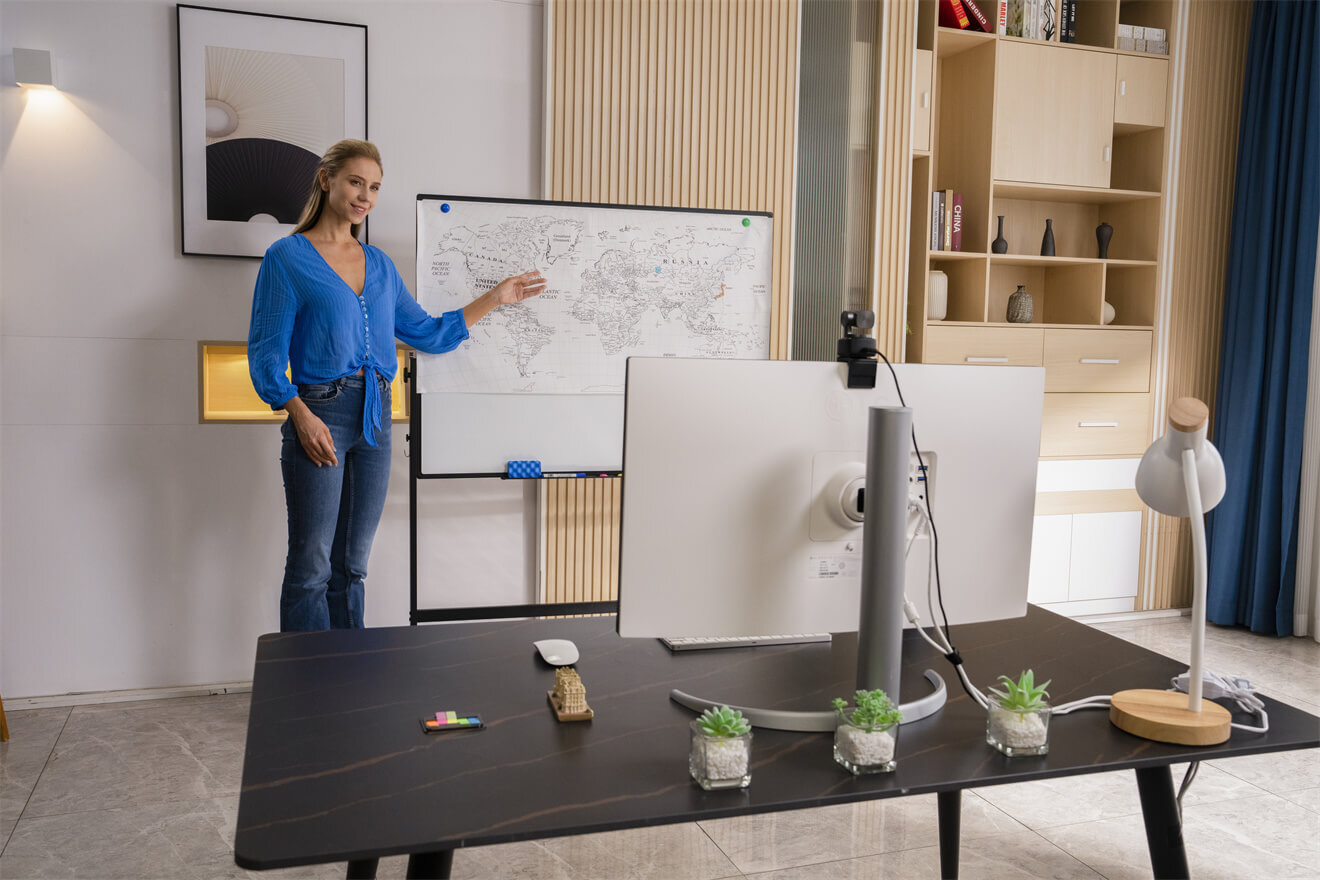
Modern webcams have 4K resolution, use AI to frame their images, and include powerful low-light cameras in remarkably small sizes. This guide includes the 10 best streaming webcams including budget-friendly options. This will assist you in making a wise decision and begin streaming.
Top 10 Models: The Best Streaming Webcams
| Model | FOV | Resolution & Frame Rate | Sensor | Aperture | Zoom Capability | Focus System |
|---|---|---|---|---|---|---|
| OBSBOT Tiny 3 | 82.4° | 4K@30fps / 1080p@120fps | 1/1.28" CMOS | f/1.8 | 4× Digital Zoom | Dual All-Pixel PDAF |
| OBSBOT Meet 2 | 79.4° | 4K@30fps / 1080p@60fps | 1/2" CMOS | f/1.8 | 4× Digital Zoom | PDAF |
| Razer Kiyo Pro Ultra | 82° | 4K@30fps / 1080p@60fps | 1/1.2" Sony STARVIS 2 | f/1.7 | 4× Digital Zoom | AI Face-tracking AF |
| EMEET SmartCam S800 | 73° | 4K@30fps / 1080p@60fps | 1/2" Sony CMOS | f/1.8 | 4× Digital Zoom | PDAF + TOF |
| Logitech MX Brio | 90°/78°/65° | 4K@30fps / 1080p@60fps | 1/1.28" Sony STARVIS | f/2.0 | 4× Digital Zoom | AF (Beamforming) |
| EMEET PIXY Dual | 120° | 4K@30fps / 1080p@60fps | 1/2.55" Sony CMOS | f/1.8 | 1.3× Optical Zoom | PDAF + AI Dual AF |
| Lumina 4K | 95° - 65° | 4K@30fps / 1080p@60fps | 1/2.5" CMOS | f/2.0 | 4× Digital Zoom | AI AF |
| Insta360 Link 2 | 83.9° | 4K@30fps / 1080p@60fps | 1/1.3" CMOS | f/1.9 | 4× Digital Zoom | PDAF |
| YOLOLIV YoloCam S3 | 84° | 4K@30fps / 1080p@60fps | 1/1.3" CMOS | f/1.85 | 4× Digital Zoom | PDAF |
| Elgato Facecam Pro | 90° | 4K@60fps / 1080p@60fps | 1/1.8" Sony STARVIS | f/2.0 | 4× Digital Zoom | Motorized AF |
OBSBOT Tiny 3 4K PTZ Webcam ($349)
This flagship PTZ camera revolutionizes interactive broadcasting by mimicking a dedicated camera operator. Its sophisticated gimbal mechanics provide fluid motion that transforms a static desk setup into a dynamic production studio.
Key Features:
- Advanced AI Tracking & Framing: Motorized 2-axis gimbal enables precise subject tracking and framing, keeping you centered throughout the entire room.
- 4K & 1/1.28'' CMOS Sensor: Large sensor captures high-quality video at 4K@30fps or 1080p@120fps with HDR support for superior low-light performance.
- Voice & Gesture Control 2.0: Hands-free operation allows for initiating tracking, zooming, or capturing snapshots via simple voice commands or hand gestures.
- Intelligent Noise-Canceling Dual Mics: Equipped with two omnidirectional microphones and advanced noise-reduction algorithms, the system captures crystal-clear audio while minimizing background interference to ensure professional sound quality in any environment.
Best For: Solo presenters and creators seeking seamless, hands-free operation through intelligent voice and gesture-controlled tracking.
OBSBOT Meet 2 4K Webcam ($129)
Engineered for the minimalist creator, this device packs premium imaging tech into a remarkably small chassis. It serves as a bridge between bulky professional gear and standard laptop peripherals, offering a sleek look for any workspace.
Key Features:
- AI Framing & Portrait Mode: Intelligent software automatically adjusts the frame to center subjects and supports native vertical video for social media.
- 1/2'' CMOS Sensor & f/1.8 Aperture: Large aperture combined with a high-performance sensor ensures sharp 4K resolution and improved light intake in dim environments.
- Compact Design with Magnetic Mount: Ultra-portable form factor features a magnetic base and 1/4" interface for versatile placement and easy setup.
Best For: Content creators and remote workers who desire 4K without spending a lot of money.
Razer Kiyo Pro Ultra ($399)
Razer challenges the boundary between webcams and DSLRs by prioritizing raw optical power and massive glass. It targets enthusiasts who refuse to compromise on bokeh effects and cinematic texture during high-stakes gaming sessions.

Key Features:
- Large Sony Sensor: A larger sensor is more sensitive to light per pixel and provides cleaner and grain-free video in low-light streaming conditions that low-budget cameras usually cannot.
- 4K HDR Output: HDR processing retains the detail of highlights and shadows simultaneously and provides your stream with a more movie-like and natural appearance.
- Real-Time Background Removal: AI Background Removal uses AI to remove the background of your image without needing to use a green screen. This makes your streaming a lot easier.
Best For: Streamers that have a low-light setup or want to use a high-quality facecam to stream.
EMEET SmartCam S800 ($129)
This model stands out as an all-in-one productivity hub designed to eliminate the clutter of external peripherals. It focuses on delivering a balanced audiovisual experience right out of the box for efficient, high-definition communication.

Key Features:
- 40° - 73° FOV: The wider field of view will fit your entire desktop or several individuals in shot without having to re-position the camera.
- AI Noise Cancellation: Inbuilt mics block keyboard clicks and background noise. This reduces your need for a separate streamer mic setup.
- 4K at 30fps: The high resolution output is what keeps your stream looking sharp on large monitors and display captures.
Best For: All streamers who desire a single device to do both video and audio cleanup.
Logitech MX Brio ($199)
Built to complement the high-end workspace aesthetic, this camera emphasizes sophisticated industrial design and tactile reliability. It is the go-to choice for users who value a polished presence in both executive boardrooms and creative studios.

Key Features:
- RightLight 4 AI Technology: Exposure and white balance are automatically improved to ensure that you always look great under natural lighting, artificial lighting or mixed lighting, without manual adjustments.
- 4K at 30fps or 1080p at 60fps: Select the highest possible resolution when viewing static content or higher frame rates when gaming with a high amount of motion.
- Physical Privacy Shutter: A built-in lens cover blocks the camera entirely between sessions. No software dependency required for peace of mind.
Best For: Professional streamers and remote workers who need reliable quality across varied lighting setups.
EMEET PIXY Dual ($159)
By utilizing a clever twin-optic system, this camera solves the problem of perspective distortion common in single-lens units. It offers a unique way to capture depth and scale, making it a versatile tool for varied visual storytelling.

Key Features:
- Automatic Dual-Lens Switching: One lens covers the wide group shots and the other is used to zoom on the close-up shots. It is the camera that will automatically pick the right one depending on your position.
- 73° FOV: This is a wide combined field that is able to capture your entire desk environment or a group of people without distortion or edge cuts.
- AI Framing: Automatically stays with you as you move through both lenses and does not require you to re-frame manually when on a stream.
Best For: Budget conscious streamers who need versatile.
Lumina 4K Webcam ($125)
Lumina prioritizes the "smart" aspect of imaging, utilizing heavy computational photography to refine the user's appearance. It functions like a high-end smartphone camera for your PC, focusing on software-driven beauty and clarity.

Key Features:
- 4K at 60fps: Smooth full-resolution capture keeps fast-moving content looking crisp rather than blurry, which matters significantly for gaming and fitness streams.
- AI Background Blur and Replacement: Smart segmentation works without any green screen hardware, which simplifies your physical setup and reduces streaming prep time.
- Face Enhancement Processing: Automatic sharpness and tone adjustment reduce the need for third-party filter software during your stream.
Best For: Streamers on a budget who still want true 4K output and AI-powered features.
Insta360 Link 2 ($149)
This device excels in versatility, offering specialized viewing angles that are typically difficult to achieve with standard mounts. Its agility makes it an essential tool for creators who need to switch between face-to-face talk and top-down demonstrations.

Key Features:
- Motorized PTZ Gimbal: The fluid movement of the camera is created with smooth panning and tilting, which appear polished and professional compared to the sudden change with digital zoom.
- Multiple Shooting Modes: Whiteboard mode, overhead mode and desk view mode allow you to adjust the camera to various content types without having to move the device manually.
- 4K AI Subject Tracking: Since you are walking out of your desk, you will stay in frame. This fits perfectly with standing desks and dynamic presentation styles.
Best For: Educators, presenters and streamers requiring a flexible best camera to live stream in various formats.
YOLOLIV YoloCam S3 ($199)
Designed with infrastructure in mind, this camera integrates seamlessly into complex network environments. It bridges the gap between traditional webcams and professional broadcast hardware, specifically catering to large-scale venue requirements.

Key Features:
- Premium 1/1.8" Sony STARVIS Sensor: The large-area sensor delivers exceptional low-light performance and high dynamic range, ensuring vivid color reproduction for professional broadcasts.
- 4K at 30fps & 1080p at 60fps Output: High-resolution video processing provides sharp image quality with smooth motion, meeting the standards for modern streaming platforms.
- Native NDI|HX Support: Advanced network integration allows the camera to transmit high-quality, low-latency video over local networks, simplifying multi-camera setups.
Best For: Event organizers, churches, and educators seeking the best camera to live stream church services or community events.
Elgato Facecam Pro ($299)
Recognized for its uncompromising data throughput, this camera treats video as a asset for creators who demand peak performance. It is a specialized tool for those who want their live feed to match the quality of high-end post-production video.

Key Features:
- 4K at 60fps Uncompressed Output: The lack of compression artifacts implies a clearer signal and sharper local recordings using capture cards or video switchers.
- Sony STARVIS Sensor: The high-quality low-light sensitivity will record clear detail in low-light environments without the pixel enlargement that most low-end webcams have.
- Elgato Camera Hub Software: Manual controls can be tweaked to the finest detail, allowing you to control every aspect of your image exposure, sharpness, and color without the help of a third-party app.
Best For: Serious streamers who record locally as they broadcast and require complete manual control of their image quality.
Factors When Choosing the Best Streaming Webcam
- Resolution and Frame Rate: Find at least 1080p at 60fps to have a smooth and clear output. A 4K webcam to stream adds additional clarity even when platforms downscale the feed.
- Field of View (FOV): Larger angles (90°+) are appropriate for desk layouts and multi person streams. Greater FOVs maintain attention on one target without distracting backgrounds.
- Low-Light Performance: Bigger sensors with larger apertures can cope with low light situations much better. This is the most important when you have no professional light in your streaming area.
- Autofocus Speed: Phase-detection AF is quicker and more dependable than contrast detect systems, ensuring that your face is in focus throughout the action.
- Auto-Framing: Subject tracking and auto-zoom in cameras allow you to move freely without having to adjust the lens during the recording.
- Connection and Compatibility: Check that the webcam is natively supported on your PC or console. The majority use USB-C or USB-A but encoder-based models might require further configuration.
FAQs about Best Streaming Camera
Q1: What webcams do popular streamers use?
Most professionals use 1080p at 60fps or 4K cameras with strong low-light performance. Models like the Elgato Facecam Pro and Logitech MX Brio are industry standards. Creators seeking hands-free framing use AI-powered PTZ cameras like the OBSBOT Tiny 3.
Q2: What kind of webcam do I need for streaming?
You need 1080p at 60fps capability with reliable autofocus. A 4K camera offers better image quality and future-proofs your setup even when streaming at lower resolutions.
Q3: Do I need a special webcam for streaming?
No. However, specialized models offer AI auto-framing and optimized color profiles. Devices like the OBSBOT Meet 2 and Lumina 4K provide superior results and easier setup compared to standard office webcams.
Conclusion
The selection of the best streaming webcam will all depend on what is important to you. OBSBOT Tiny 3 and Insta360 Link 2 are at the forefront in terms of AI-powered physical tracking. Lumina 4K and EMEET PIXY Dual are excellent at an affordable price. Razer Kiyo Pro Ultra or Elgato Facecam Pro are most beneficial in professional setups. Whatever your focus including image quality, smart framing or portability, there is a great webcam for streaming on this list that fits your workflow and budget.














